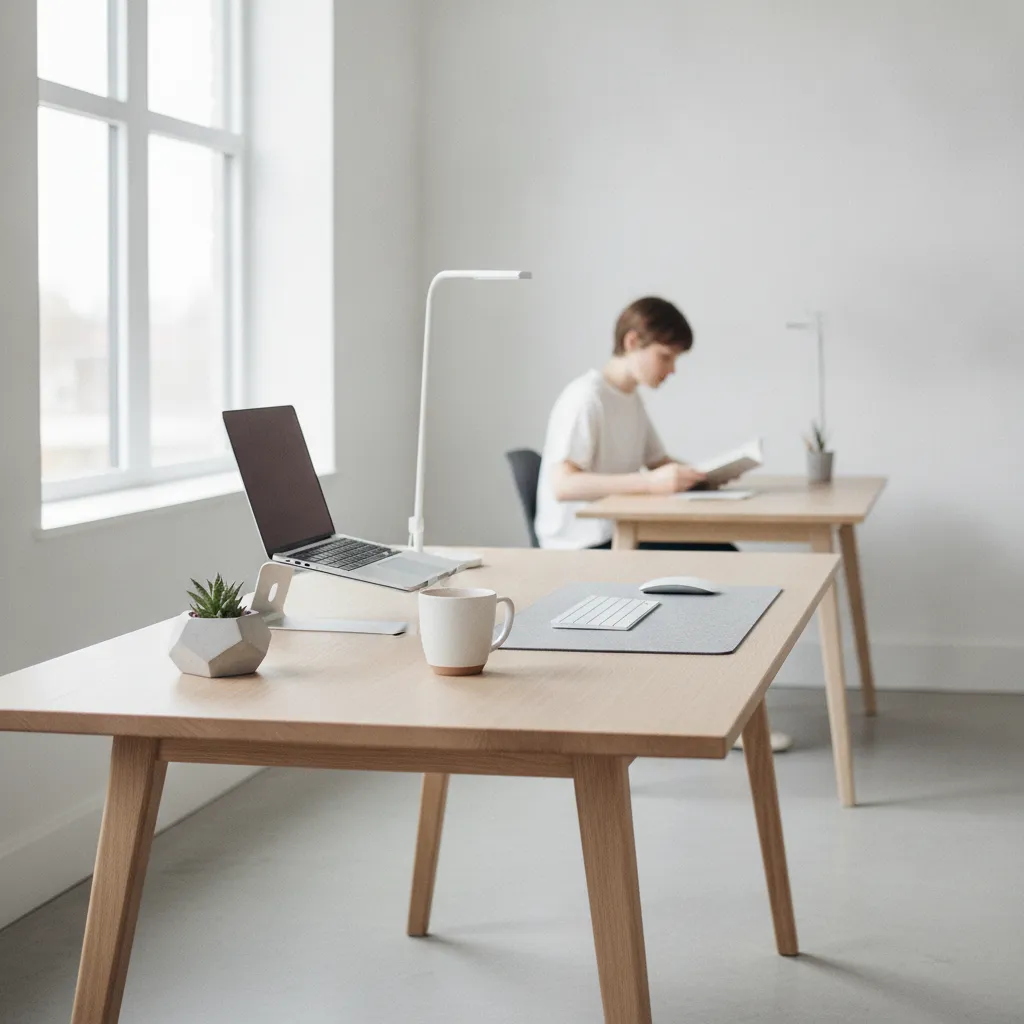
Why Your Workspace Setup Matters More Than You Think
In today's hyper-connected world, maintaining sustained focus is a rare and valuable commodity. The average office worker is interrupted every 3 minutes, with it taking an average of 23 minutes and 15 seconds to return to the original task. This constant context-switching is a silent drain on productivity.
Our workspaces, both physical and digital, are often overlooked contributors to this attention crisis. Clutter, poor ergonomics, and digital notifications are not just nuisances; they are active barriers to entering a state of deep work. They fragment our attention before we even begin.
Deep work, defined as focused, undistracted effort on cognitively demanding tasks, is essential for producing high-value output. Without an environment conducive to deep work, our capacity to solve complex problems and create innovative solutions diminishes significantly. The workspace is the stage for this critical activity.
Research consistently shows a strong correlation between environmental factors and cognitive performance. A well-organized, ergonomic, and distraction-minimized workspace directly translates to higher engagement and reduced mental fatigue. It's a controllable variable that yields significant returns.
Beyond mere output, an optimized workspace contributes to reduced stress and increased job satisfaction. The feeling of being in control of one's environment fosters a sense of calm and competence, which is crucial for mental well-being in demanding roles. It's an investment in your daily peace of mind.
Ultimately, understanding and intentionally designing your workspace is not a peripheral concern. It's a fundamental strategy for maximizing personal effectiveness and achieving long-term career goals. Your environment is either a powerful ally or a constant adversary in the pursuit of focus.
The Science Behind a Focused Workspace
Cognitive load theory posits that our working memory has a finite capacity, and external stimuli can quickly overload it. A cluttered desk or an unorganized digital desktop creates extraneous cognitive load, leaving less mental bandwidth for the primary task at hand. Simplicity reduces this burden.
Environmental psychology studies consistently demonstrate that physical surroundings profoundly influence mood, motivation, and cognitive function. Spaces with natural light, appropriate temperature, and minimal auditory distractions are repeatedly linked to enhanced concentration and reduced stress levels. Our surroundings are not neutral.
The concept of "flow state," a state of complete immersion in an activity, is heavily dependent on an environment free from interruptions. Psychologist Mihaly Csikszentmihalyi's work highlights that clear goals and immediate feedback are supported by an environment that allows for uninterrupted engagement. The workspace facilitates this immersion.
Ergonomic research shows that proper posture and workstation setup prevent physical discomfort, which is a major distraction. Aches and pains divert mental resources away from productive tasks, forcing attention onto the body instead. Investing in good ergonomics is an investment in sustained focus.
Studies on digital distractions reveal that even the mere presence of a smartphone, regardless of whether it's active, can impair cognitive performance. The brain expends energy suppressing the urge to check notifications, leading to a measurable decrease in available attention. Proximity matters more than we often realize.
Neuroscientific evidence further supports the impact of environment on brain activity. Certain visual cues can trigger associative memories or tasks, pulling attention away from the current objective. A clean slate, both physically and digitally, helps cue the brain for singular focus.
Realistic Benefits of an Optimized Work Environment
One immediate benefit of an optimized workspace is a significant reduction in task startup friction. When your environment is pre-configured for focus, the mental energy required to begin a demanding task is dramatically lowered. You spend less time preparing and more time doing.
This reduced friction directly translates into longer, more frequent blocks of deep work. Instead of constantly battling distractions, you can more easily enter and sustain periods of intense concentration. This allows for tangible progress on complex projects.
With fewer interruptions and a clearer mental state, the quality of your output naturally improves. Errors decrease, and the solutions you develop are often more thorough and insightful. Your brain has the space to process information without constant interference.
An organized and distraction-minimized workspace also conserves mental energy throughout the day. You'll experience less decision fatigue and maintain higher levels of cognitive stamina, allowing you to sustain productivity for longer periods without burnout. Your energy becomes a renewable resource.
The clarity afforded by a focused environment extends to improved decision-making. When your attention isn't fragmented, you can evaluate options more comprehensively and make choices with greater confidence and accuracy. Hasty decisions become less common.
Finally, a dedicated, optimized workspace can help reinforce work-life boundaries. By intentionally creating a "work mode" environment, it becomes easier to mentally switch off when leaving that space, promoting healthier separation and reducing stress. It clearly defines your professional zone.
Common Misconceptions and Limitations
A common misconception is that workspace optimization requires aesthetic perfection or expensive equipment. This can lead to analysis paralysis, where individuals spend more time researching ideal setups than actually working in an improved one. Practicality should always precede perfection.
Another limit is the overemphasis on external environmental factors while ignoring internal distractions. Anxiety, procrastination, or lack of clarity on tasks can undermine even the most pristine workspace. The external setup supports, but does not replace, internal mental discipline.
There's no "one-size-fits-all" optimal workspace. What works for a programmer requiring multiple monitors may differ vastly from a writer needing minimalist calm. Personal preferences, job requirements, and individual cognitive styles must guide customization, not generic advice.
Over-reliance on productivity tools and gadgets can also be a risk. While useful, an excess of tools can become a distraction in itself, creating more management overhead than actual gains. Simplicity and intentionality should always be prioritized over complexity.
Some individuals fall into the trap of prioritizing aesthetics over true functionality. A beautiful desk might not be ergonomic, or a minimalist setup might lack essential tools. The goal is to reduce friction and improve focus, not to create an Instagram-ready workspace.
It's crucial to understand that an optimized workspace is not a magic bullet for all productivity issues. It's a foundational element that supports focus, but it won't compensate for poor time management, unclear goals, or a lack of intrinsic motivation. It's part of a larger system.
A Practical Protocol for Workspace Optimization
Begin by defining your "deep work zone"-the specific area dedicated to tasks requiring high concentration. This could be a dedicated desk, a corner of a room, or even a specific digital desktop configuration. Clearly demarcating this space signals to your brain that it's time to focus.
Conduct a thorough physical decluttering of your immediate workspace. Remove anything not directly related to your current project or recurring tasks. A clear surface minimizes visual distractions and reduces subconscious cognitive load. "Out of sight, out of mind" is a powerful principle here.
Extend decluttering to your digital environment. Organize your desktop, consolidate files, and close unnecessary browser tabs and applications. Create a consistent folder structure that makes accessing project-specific resources effortless. Productivity Hub tools Data can assist in organizing digital assets.
Invest in ergonomic adjustments. Ensure your monitor is at eye level, your chair supports your posture, and your keyboard and mouse are comfortable to use. Physical comfort prevents aches and pains from becoming intrusive distractions, allowing sustained attention.
Optimize sensory inputs: maximize natural light, minimize artificial glare, and consider noise-canceling headphones if auditory distractions are an issue. Maintain a comfortable room temperature to avoid discomfort that can pull your focus.
Use subtle visual cues to reinforce your intentions. A single plant, a motivational quote, or a clean notepad can serve as a gentle reminder of your focus. These anchors can help guide your attention back when it starts to wander.
Before starting a deep work session, "pre-set" your workspace. Have all necessary tools, documents, and resources within easy reach, both physically and digitally. This reduces task startup friction and allows for a seamless transition into focused work.
Timing, Adaptation, and Iterative Improvement
Workspace optimization shouldn't be a one-time event, but rather a daily ritual. Start each workday by quickly tidying your physical and digital space, ensuring it's ready for your most important tasks. This short investment pays dividends in sustained focus.
Implement a weekly review to assess your workspace effectiveness. During your weekly planning, consider what environmental factors helped or hindered your focus. This allows for continuous adaptation and refinement of your setup. Productivity Hub tools ToDo can help schedule these review tasks.
Adapt your workspace setup based on the type of task you're performing. A brainstorming session might benefit from a whiteboard and open space, while deep analytical work requires a highly minimalist and distraction-free zone. Be flexible in your approach.
Consider whether a flexible or fixed setup best suits your workflow. Some individuals thrive with a consistently identical environment, while others prefer the adaptability of a mobile or configurable workstation. Personal preference and role requirements are key.
Embrace an iterative improvement mindset. Don't aim for perfection immediately; instead, make small, consistent adjustments over time. Observe what truly makes a difference to your focus and double down on those elements. It's a continuous process of refinement.
The "dosage" of optimization should match your needs. If you're struggling intensely with distractions, a more aggressive decluttering and isolation strategy might be needed. If your focus is generally good, minor tweaks might suffice. Tune it to your current challenges.
Integrating Workspace Optimization with Productivity Hub
Productivity Hub tools ToDo can be instrumental in integrating workspace optimization into your routine. Create recurring tasks like "Daily Desk Reset" or "Weekly Digital Declutter" to ensure consistency. This helps habituate the necessary actions for a focused environment.
Utilize Productivity Hub tools Habits to track your adherence to these workspace rituals. By monitoring how consistently you maintain your optimized environment, you can identify patterns and reinforce positive behaviors. This transforms sporadic efforts into sustained practices.
Leverage Productivity Hub tools Data to gain insights into how your environment impacts your actual productivity. By tracking task completion times or deep work blocks, you can correlate periods of high focus with your workspace setup. This data-driven approach informs further adjustments.
Consider using Productivity Hub tools AI for personalized suggestions based on your logged activities and focus patterns. The AI might identify that certain times of day or specific task types benefit from a particular workspace configuration, offering tailored advice.
The "Productivity Hub tools Settings" can be optimized to support your digital workspace. This includes customizing notification settings, creating focus modes within the platform, and organizing your dashboards to reduce visual clutter. Your digital hub should mirror your physical one.
By linking your physical workspace habits to your digital productivity tools, you create a cohesive system. This integrated approach ensures that your efforts to create a distraction-free zone are supported by the very tools you use for your work. It creates a seamless focus ecosystem.
Avoiding Common Pitfalls in Workspace Setup
A pervasive mistake is focusing solely on physical clutter while neglecting the digital realm. An impeccably clean desk won't improve focus if your computer desktop is chaotic, your browser has dozens of open tabs, or your notification settings are uncontrolled. Digital chaos is just as detrimental.
Another error is over-accessorizing the workspace in an attempt to optimize it. Too many "productivity gadgets" or decorative items can introduce new visual distractions. Every item should have a clear purpose in supporting your focus, not simply existing for its own sake.
Lack of regular maintenance is a common pitfall. An optimized workspace isn't a static achievement; it requires consistent effort. Allowing clutter to creep back in or neglecting ergonomic adjustments will quickly erode the initial benefits. It's a continuous process.
Failing to personalize the workspace to individual needs is also a mistake. Adopting a generic "ideal" setup without considering one's specific job requirements, cognitive style, or personal preferences often leads to discomfort and reduced efficacy. Your space should reflect your unique workflow.
Blaming the workspace for all productivity issues is a significant misconception. While critical, the environment is only one component of a holistic productivity system. Internal factors like motivation, skill, and clarity of purpose also play crucial roles.
Lastly, neglecting sensory details like lighting, temperature, or sound can undermine other efforts. Even a perfectly organized desk can be ineffective if you're constantly squinting, shivering, or battling auditory distractions. The full sensory experience matters.
Mini Quantified Case Studies in Workspace Transformation
A freelance content writer, struggling with consistent deadlines, implemented a strict "one project, one desk" rule. By decluttering her physical space to only the current task's essentials, she reported a 20% increase in deep work hours and a 15% reduction in project completion time within three weeks.
A software developer invested in an ergonomic chair, monitor arm, and split keyboard after experiencing chronic neck pain. Within a month, his self-reported distraction incidents due to discomfort dropped by 40%, directly translating to an average of 1.5 extra hours of focused coding per day.
A university student, overwhelmed by digital tabs and notifications, created a "digital focus zone" using specific browser profiles and notification blockers. Her study sessions lengthened by 30 minutes on average, and she reported a significant decrease in pre-exam anxiety.
An operations manager, utilizing a "shutdown ritual" to reset her workspace each evening, noticed a marked improvement in her morning task startup. This simple act reduced her morning preparation time by 10-15 minutes, allowing her to tackle complex tasks earlier in the day.
A remote marketing specialist, previously working from various spots in her home, established a dedicated, quiet workspace. This consistent environment led to a 25% improvement in perceived productivity and a clearer separation between her professional and personal life, reducing burnout.
Frequently Asked Questions About Workspace Optimization
Q: How often should I declutter my workspace? A: A quick physical and digital tidy-up should be a daily ritual, ideally at the start or end of your workday. A more thorough declutter and review of your setup is recommended weekly during your planning session.
Q: What if I have very limited workspace or share a desk? A: Even in limited spaces, focus on creating a "micro-zone" for deep work. Use portable organizers, noise-canceling headphones, and digital focus modes. The principle of dedicated intention applies regardless of scale.
Q: Is an open-plan office inherently hopeless for deep work? A: Not necessarily, but it requires more intentional strategies. Utilize noise-canceling headphones, communicate "do not disturb" signals to colleagues, and seek out quiet zones or book meeting rooms for critical deep work tasks.
Q: How can I effectively manage digital notifications? A: Turn off all non-essential notifications on your computer and phone during deep work blocks. Use "Do Not Disturb" modes, schedule specific times to check communications, and close unnecessary applications and browser tabs.
Q: If I could only make one change to my workspace, what should it be? A: The most impactful single change is often to physically and digitally clear your immediate work area of anything not directly related to your current high-priority task. This significantly reduces visual and cognitive distractions.
Sources & References
- 1
- 2
- 3